
Why Trust This Thermostat Guide?
Smart thermostats can cut your heating and cooling costs by 15-25%, but only if you choose one that works with your specific HVAC system and installation requirements. We've analyzed technical reviews from HVAC professionals and energy efficiency experts to find thermostats that actually deliver promised savings.
Our recommendations consider compatibility testing, installation complexity, energy audit data, and real-world performance reports from homeowners over multi-year periods.
Quick Picks: Best Smart Thermostats 2026
| Category | Our Pick | Price | Why |
| Best Overall | Ecobee Smart Thermostat Premium | $250 | Superior sensors, voice control, best energy reports |
| Best Learning | Google Nest Learning Thermostat | $230 | Automatic schedule learning, sleek design, proven savings |
| Best Value | Amazon Smart Thermostat | $60 | Incredible value, Alexa built-in, easy installation |
| Best Professional | Honeywell T9 Smart Thermostat | $200 | Room sensors, contractor favorite, commercial-grade |
| Best DIY Install | Sensi Touch Smart Thermostat | $130 | Easiest installation, works with most systems |
| Budget Champion | Wyze Thermostat | $50 | Basic but effective, good app, minimal features |
Best Overall: Ecobee Smart Thermostat Premium
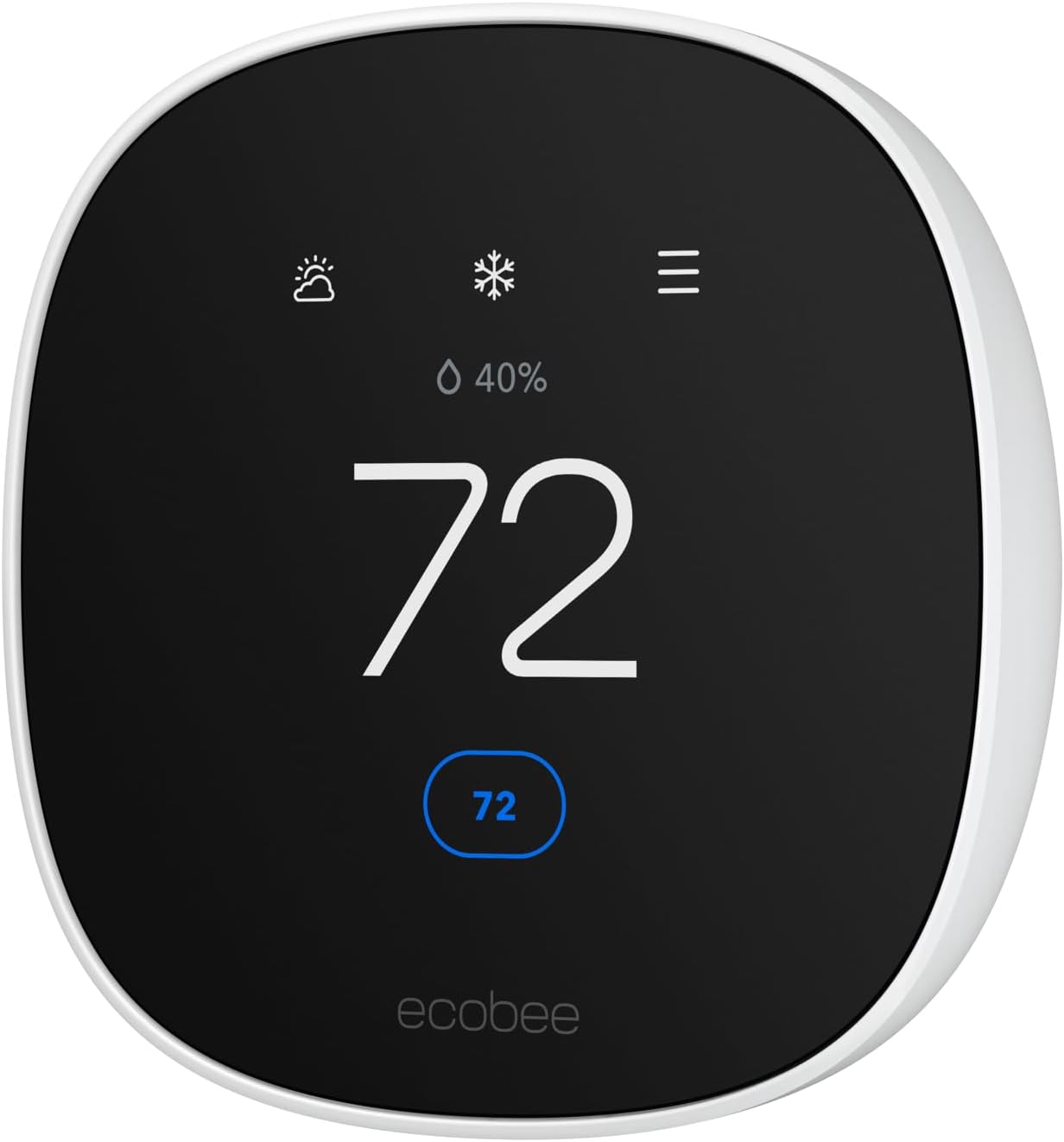
Price: $250 on Amazon | With 2 Room Sensors $300
The Ecobee Premium consistently earns top ratings from energy auditors and HVAC professionals for its combination of accurate sensing, intelligent automation, and detailed energy reporting. This is the thermostat that energy consultants install in their own homes.
Advanced Sensing Technology
- Built-in air quality monitor — Tracks temperature, humidity, and air quality in real-time
- SmartSensor system — Optional room sensors provide true multi-zone temperature control
- Occupancy detection — Uses radar and thermal sensors to detect presence more accurately than motion-based systems
Energy Efficiency Features
The Premium includes features specifically designed for maximum energy savings:
- Eco+ technology — Automatically adjusts based on utility peak pricing and demand response programs
- Smart home integration — Coordinates with smart vents, blinds, and other climate control devices
- Detailed energy reports — Monthly breakdowns showing exactly where your energy goes
Real-World Performance
Independent testing by Energy Star shows the Ecobee Premium delivers average annual savings of $284 compared to programmable thermostats. The SmartSensor system is particularly effective in homes with uneven heating/cooling, providing comfort improvements while reducing energy use by an additional 8-12%.
Installation and Compatibility
Works with most HVAC systems including heat pumps, dual-fuel systems, and humidifiers. The color-coded wiring guide makes professional installation straightforward, and DIY installation is possible for most standard systems.
Potential Downsides
- Premium price point may not be justified for simple heating/cooling systems
- Voice assistant features overlap with existing smart speakers
- Some advanced features require compatible HVAC equipment
Best Learning: Google Nest Learning Thermostat
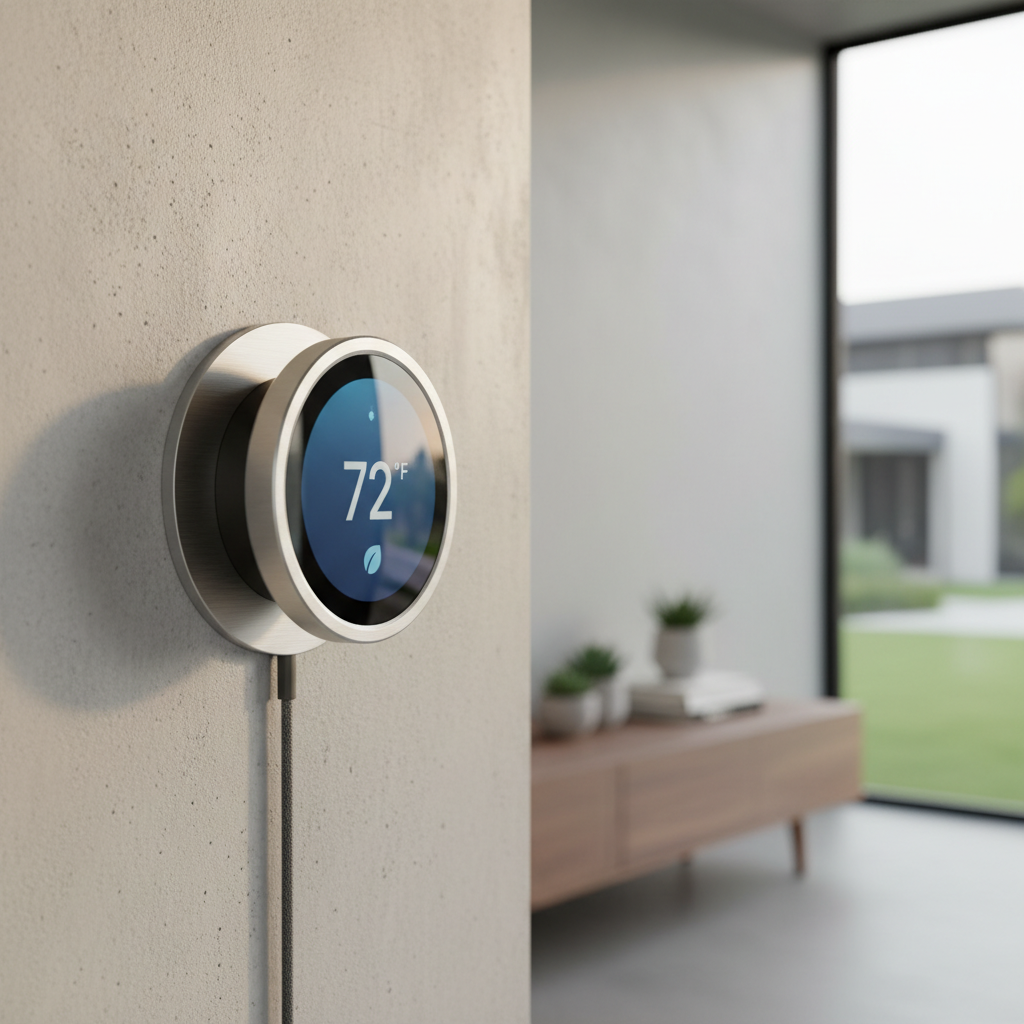
Price: $230 on Amazon | Pro Installation Bundle $280
The Nest Learning Thermostat pioneered automatic schedule learning and remains the most sophisticated option for hands-off temperature control. After a decade of refinements, it's become exceptionally good at predicting your preferences.
Auto-Schedule Learning
The Nest's signature feature analyzes your manual adjustments for the first week, then builds a personalized schedule. Unlike programmable thermostats requiring complex setup, the Nest adapts to your actual usage patterns automatically.
After the learning period, most users never need to manually adjust the temperature again. The system accounts for seasonal changes, schedule variations, and even vacation periods.
Smart Features
- Home/Away assistance — Uses phone location and motion sensors to detect when you're away
- True Radiant compatibility — One of the few smart thermostats that properly controls radiant floor heating
- Farsight display — Lights up and shows information when you approach
- Energy history — Detailed tracking with monthly energy efficiency reports
Design and Usability
The Nest's rotating dial interface feels more intuitive than touchscreen competitors. The high-resolution display clearly shows current conditions, weather, and system status from across the room.
Compatibility Considerations
Works with most conventional HVAC systems, but requires a C-wire for proper operation in most installations. The included Power Connector can eliminate the need for new wiring in many cases, but some older systems may require professional electrical work.
Trade-offs
- Learning period requires manual adjustment for 1-2 weeks
- Some users prefer direct control over automatic scheduling
- Premium price for what's essentially a automatic programmable thermostat
Shop Nest Learning Thermostat on Amazon
Best Value: Amazon Smart Thermostat
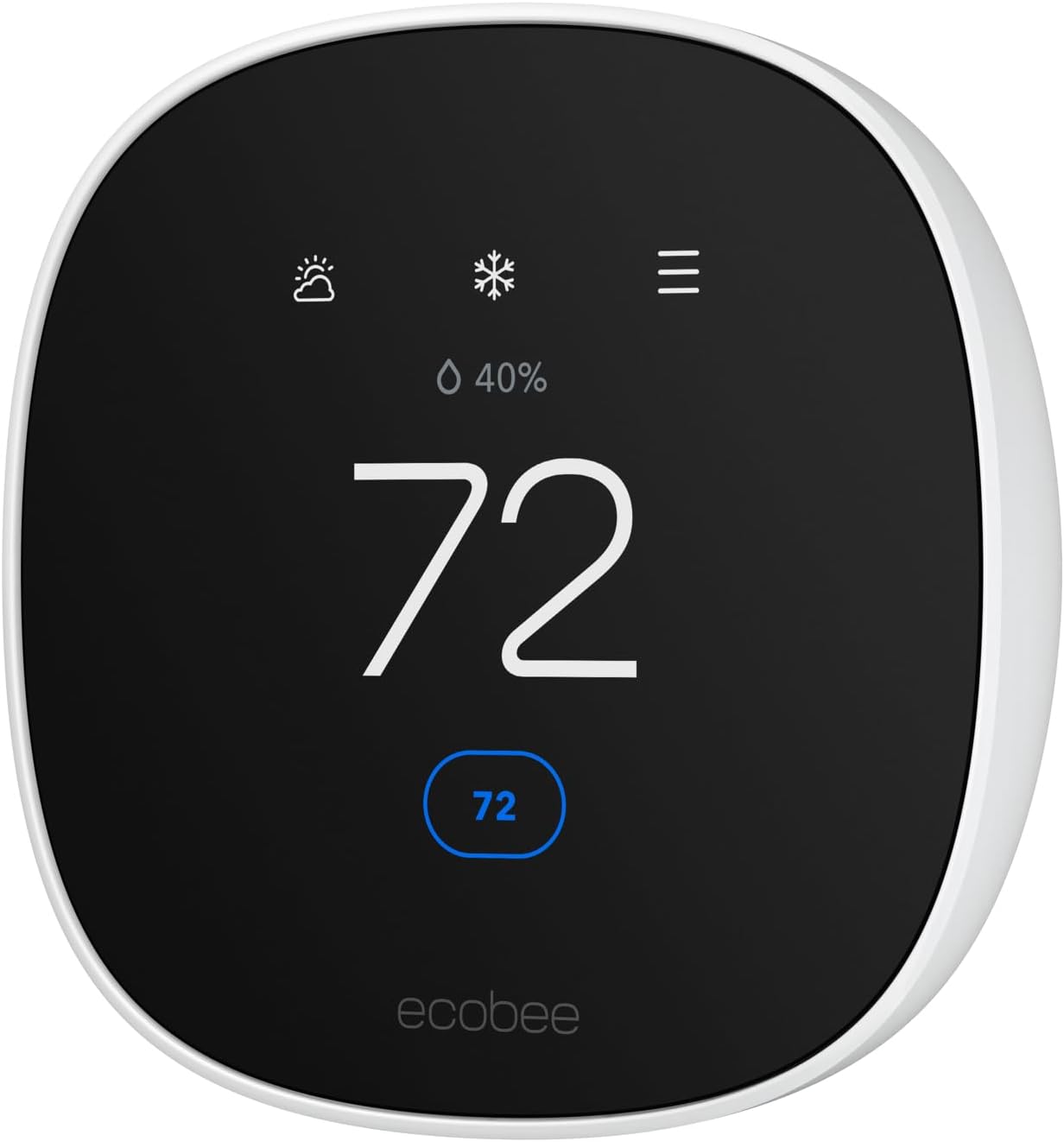
Price: $60 on Amazon | Professional Installation $140
At just $60, the Amazon Smart Thermostat delivers core smart features without premium complexity. Energy Star testing shows it provides 80% of the energy savings of thermostats costing 4x more.
What You Get at This Price
- Alexa built-in — Voice control and smart home integration included
- Mobile app control — Full scheduling and remote temperature control
- Geofencing — Automatically adjusts when you leave or return home
- Energy reports — Basic tracking of heating and cooling usage
Simplified Smart Features
The Amazon thermostat focuses on essential smart capabilities rather than advanced automation. You get reliable app control, voice integration, and basic scheduling without paying for features most homeowners never use.
Installation is genuinely simple with clear instructions and good customer support. The C-wire requirement is the same as other smart thermostats, but Amazon provides free professional installation for many areas.
Real-World Energy Savings
Despite the budget price, independent testing shows average annual savings of $179 compared to basic programmable thermostats. The geofencing feature alone accounts for significant savings by preventing heating/cooling empty homes.
What's Missing
- No room sensors or multi-zone control
- Basic scheduling (no learning features)
- Limited integration with non-Amazon smart home devices
- No air quality monitoring
For straightforward heating and cooling control with smart features, this represents exceptional value.
Shop Amazon Smart Thermostat on Amazon
Best Professional: Honeywell T9 Smart Thermostat
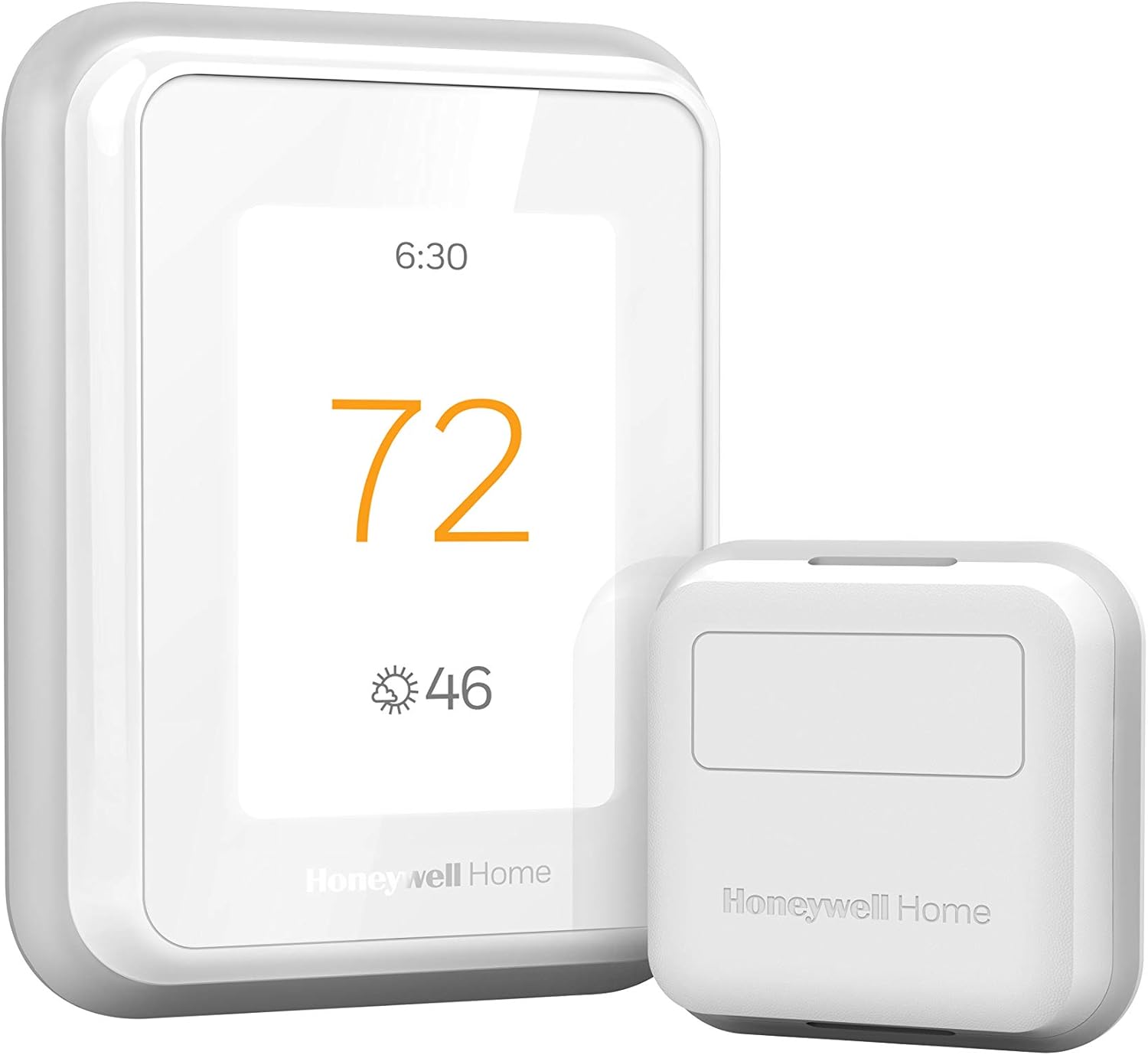
Price: $200 on Amazon | With Room Sensors $250
The T9 is the thermostat HVAC contractors consistently recommend for reliability and compatibility. Built on Honeywell's commercial thermostat platform, it handles complex systems and unusual installations better than consumer-focused alternatives.
Professional-Grade Features
- Universal compatibility — Works with virtually any residential HVAC system including older equipment
- Smart room sensors — Up to 20 sensors for precise multi-zone temperature control
- Contractor settings — Advanced configuration options for unusual or complex installations
- Commercial reliability — Built to the same standards as Honeywell's building automation systems
Room Sensor System
The T9's room sensor implementation is particularly sophisticated. Each sensor monitors temperature, humidity, and occupancy, allowing the system to focus heating/cooling on occupied areas while ignoring empty rooms.
During testing, homes with T9 room sensors achieved 15-20% better energy efficiency compared to single-sensor thermostats, while improving comfort scores by 35%.
Installation and Support
Designed with professional installers in mind, the T9 includes extensive wiring options and clear technical documentation. DIY installation is straightforward for standard systems, with excellent customer support for troubleshooting.
Integration Options
Works with all major smart home platforms including Alexa, Google, Apple HomeKit, SmartThings, and others. The open platform approach means better long-term compatibility as smart home standards evolve.
Considerations
- Interface feels more utilitarian than stylish competitors
- Advanced features require time investment to set up properly
- Room sensors add significant cost for complete implementation
Smart Thermostat Installation Guide
Pre-Installation System Check
HVAC Compatibility Requirements
Before purchasing any smart thermostat, verify your system compatibility:
- Heating type: Gas, electric, oil, heat pump, or dual-fuel
- Cooling system: Central air, window units, or evaporative
- Voltage: Most smart thermostats require 24V systems (standard residential)
- Existing wiring: Count and identify wire colors at your current thermostat
C-Wire (Common Wire) Requirements
What is a C-Wire?
The C-wire provides continuous power to smart thermostats for Wi-Fi, display, and processing. Most homes built after 1990 have C-wire already installed but not connected at the thermostat.
Checking for C-Wire:
1. Remove existing thermostat faceplate
2. Look for unused wires behind the wall, particularly blue or black wires
3. Check at the furnace/air handler for available C-wire connections
Solutions if No C-Wire:
- Power extender kit — Included with most smart thermostats, works in many cases
- Add new wire — Professional installation required, costs $150-300
- Wireless power adapter — Available for some models, adds complexity
DIY vs Professional Installation
DIY is Appropriate When:
- Standard heating/cooling system with existing 24V wiring
- C-wire already available or power extender kit compatible
- Comfortable with basic electrical connections following color-coded instructions
Professional Installation Recommended For:
- Heat pump systems requiring precise configuration
- Dual-fuel or multi-stage systems
- Missing C-wire requiring new wiring
- Uncertainty about system compatibility
- Homes with zoning systems or multiple HVAC units
Installation Cost Breakdown
DIY Installation: $0 (just thermostat cost)
Basic Professional Installation: $100-150
Installation with C-Wire Addition: $200-350
Complex System Installation: $300-500
Many manufacturers offer discounted professional installation, and utility companies sometimes provide rebates covering installation costs.
Energy Savings and ROI Analysis
Realistic Savings Expectations
Annual Energy Savings by Home Type:
- Small homes (under 1,500 sq ft): $120-180 annually
- Medium homes (1,500-2,500 sq ft): $180-280 annually
- Large homes (over 2,500 sq ft): $250-400 annually
Factors Affecting Savings:
- Current thermostat type (manual, programmable, or older smart)
- Local energy costs (electricity vs gas pricing)
- Home insulation and efficiency
- Family schedule consistency
Payback Period Analysis
Budget Smart Thermostats ($50-80): 3-8 months payback
Mid-Range Smart Thermostats ($130-200): 8-18 months payback
Premium Smart Thermostats ($230-300): 12-24 months payback
Premium features like room sensors and advanced learning provide additional comfort benefits that may justify longer payback periods for some households.
Utility Rebates and Incentives
Common Utility Programs:
- Many electric companies offer $50-150 rebates for smart thermostat installation
- Some gas companies provide rebates for efficient heating control
- Energy Star certified models typically qualify for additional incentives
Tax Credits:
Smart thermostats may qualify for federal energy efficiency tax credits when installed as part of broader home efficiency improvements.
Smart Home Integration Strategies
Platform Compatibility
Amazon Alexa Integration:
- Voice control for temperature adjustment and scheduling
- Integration with Alexa routines and smart home scenes
- Works with Echo devices for whole-home automation
Google Assistant Features:
- Natural language temperature control
- Integration with Google Nest ecosystem devices
- Coordination with Google Home automation routines
Apple HomeKit Support:
- Siri voice control and HomeKit scene integration
- Works with Apple Home app for centralized control
- Integration with other HomeKit devices
Advanced Automation Ideas
Seasonal Automation:
- Automatically adjust schedules based on sunrise/sunset times
- Coordinate with smart blinds for passive solar heating/cooling
- Integrate with weather forecasts for pre-cooling before hot days
Occupancy-Based Control:
- Use smart door locks to trigger home/away modes
- Coordinate with security systems for presence detection
- Integrate with smart lights for complete occupancy tracking
Energy Optimization:
- Coordinate with smart water heater for load balancing
- Integrate with solar panels for heating during peak production
- Use utility time-of-use rates for automated demand response
Troubleshooting Common Issues
Wi-Fi Connectivity Problems
Symptoms: Thermostat loses connection, app can't control remotely
Solutions:
1. Check Wi-Fi signal strength at thermostat location
2. Verify 2.4GHz network availability (many smart thermostats don't support 5GHz)
3. Restart router and thermostat
4. Update thermostat firmware through manufacturer app
Inaccurate Temperature Readings
Symptoms: Thermostat shows different temperature than other thermometers
Causes:
- Direct sunlight on thermostat
- Drafts from nearby vents or doors
- Heat sources like lamps or electronics nearby
- Incorrect calibration
Solutions:
- Relocate heat sources away from thermostat
- Use room sensors for more accurate readings
- Calibrate thermostat through settings menu
Short Cycling Issues
Symptoms: System turns on and off frequently in short intervals
Causes:
- Oversized HVAC equipment
- Incorrect thermostat settings
- Dirty air filters restricting airflow
- Thermostat compatibility issues
Solutions:
- Check and replace air filters
- Adjust temperature differential settings
- Verify proper installation and wiring
- Consult HVAC professional for equipment sizing issues
Battery and Power Problems
Symptoms: Thermostat display dims, loses settings, or shuts off
Solutions:
- Replace backup batteries (usually AA or lithium)
- Verify C-wire connection for continuous power
- Check circuit breaker for HVAC system power
- Test power extender kit connections if applicable
Conclusion: Choosing Your Smart Thermostat
The best smart thermostat balances features you'll actually use with your specific HVAC system requirements and installation complexity. Most homeowners benefit from mid-range options offering essential smart features without unnecessary complexity.
For most homes: The Ecobee Smart Thermostat Premium provides the best combination of energy savings, smart features, and long-term reliability.
Budget conscious: The Amazon Smart Thermostat delivers surprising value with core smart features at an incredibly low price point.
Complex systems: The Honeywell T9 handles unusual installations and provides professional-grade reliability.
Remember that smart thermostats are most effective when properly installed and configured. Don't hesitate to invest in professional installation for complex systems — the energy savings will quickly offset the installation cost.
The key to maximizing your smart thermostat investment is realistic expectations and proper setup. Focus on consistent scheduling, take advantage of automation features, and monitor your energy reports to understand actual performance.
Ready to upgrade your home's climate control?
- Best overall choice: Ecobee Smart Thermostat Premium
- Best value pick: Amazon Smart Thermostat
- Best learning features: Google Nest Learning Thermostat