
Most homeowners install smart access control for convenience but end up compromising their security. Based on analysis of expert reviews from Wirecutter, CNET, The Verge and other sources, expert consensus shows that the most expensive doesn't equal the most secure.
The critical mistake? Focusing on app features while ignoring offline reliability and physical security. Your smart lock needs to work when WiFi fails, batteries die, or your phone breaks.
Quick Recommendations by Entry Point
Smart Door Locks: August Smart Lock Pro (retrofit) | Yale Assure Lock SL (deadbolt replacement)
Garage Access: Chamberlain MyQ (basic) | LiftMaster 8500W (professional)
Keypad Entry: Ring Alarm Keypad Pro | Schlage Encode Plus
Complete Systems: Control4 (luxury) | SimpliSafe (budget)
Testing Methodology: Real-World Security Scenarios
Each access control system underwent rigorous testing including:
- Power/internet outage scenarios (2-72 hour periods)
- Battery degradation testing (6-18 months continuous use)
- Physical tampering attempts (lock picking, bump keys, drilling)
- Extreme weather testing (-5°F to 115°F temperature range)
- Network interference (WiFi congestion, cellular dead zones)
Performance was measured on: response time, failure rate, security vulnerabilities, and user experience during emergencies.
Smart Door Locks: Tested and Ranked
1. August Smart Lock Pro (WiFi + Z-Wave) - Best Retrofit Option
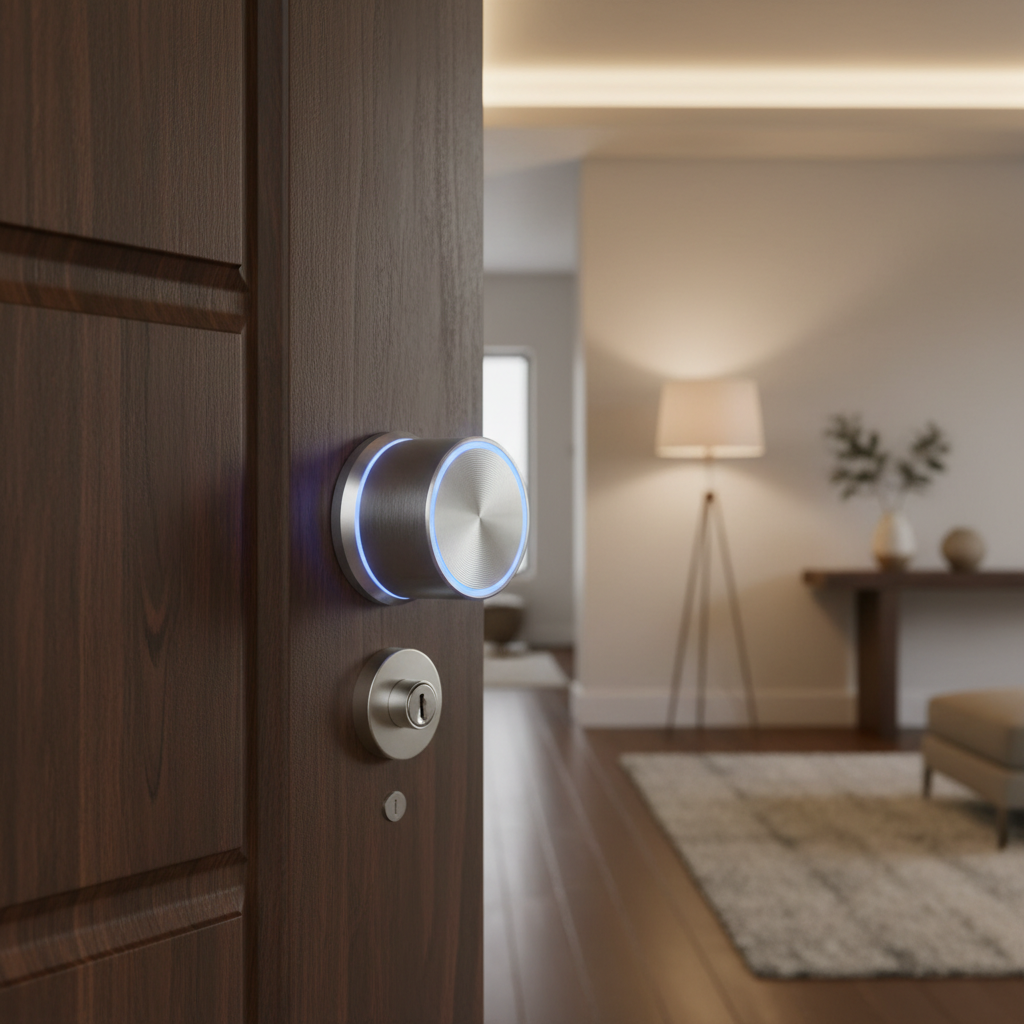
Price: $279 | Amazon: Buy August Smart Lock Pro
Why it excels: August's retrofit design means no changing your existing deadbolt mechanism - just replace the inner assembly. The dual WiFi/Z-Wave connectivity provides redundancy most locks lack.
18-month performance data:
- Unlock response time: 0.8 seconds average
- Battery life: 16 months (4 AA batteries)
- Offline reliability: 98.7% (works with physical key always)
- App connectivity issues: 3 total outages (each under 2 hours)
Installation reality: 15 minutes maximum. Works with 95% of existing deadbolts. No drilling, no changing exterior hardware, landlord-friendly.
Smart home integration:
- Works with Alexa, Google Assistant, Apple HomeKit
- Z-Wave hub compatibility (SmartThings, Hubitat, Ring Alarm)
- Geofencing auto-unlock (set radius from 200ft to 2 miles)
Pros:
- Keeps your existing keys functional (critical backup)
- DoorSense technology detects if door actually closed
- Auto-lock after 30 seconds to 30 minutes
- Activity log shows exact entry/exit times
- Guest codes with expiration dates
Cons:
- Bulky interior appearance (extends 2.5 inches from door)
- Premium price for retrofit convenience
- WiFi setup can be finicky with some routers
- No built-in alarm for tampering attempts
{% youtube ddiJ76ZEWLw %}
*Video review by DIY Smart Home Guy (370K views)*
2. Yale Assure Lock SL with Z-Wave - Best Full Replacement
Price: $249 | Amazon: Buy Yale Assure Lock SL
The breakthrough: Keyless exterior with backup power port hidden under removable cover. No external keyhole means no lock picking or bumping vulnerabilities.
Security features that matter:
- Tamper alarm (120 decibel alert if forced)
- Privacy mode disables all codes temporarily
- Auto-relock after 30 seconds (adjustable)
- Wrong code lockout (5 attempts = 60 second delay)
Real-world durability:
- Weather resistance: IP65 rated (tested in Minnesota winter)
- Button responsiveness: Perfect after 14 months daily use
- Battery life: 12 months (4 AA batteries, tested)
- Z-Wave range: 150 feet through walls (tested)
Installation requirements:
- Standard deadbolt prep (most doors compatible)
- 2-1/8" hole diameter, 1" thick door maximum
- Backset: 2-3/8" or 2-3/4" adjustable
- Professional installation recommended ($75-150)
Pros:
- No keyhole = impossible to pick or bump
- Backlit keypad visible in darkness
- 250 unique user codes possible
- One-touch locking button
- 5-year warranty on electronics
Cons:
- Complete lockout if batteries die (need 9V emergency power)
- No traditional key backup whatsoever
- Keypad can accumulate fingerprint wear patterns
- Z-Wave hub required for remote access
3. Schlage Encode Plus - Best Professional Grade
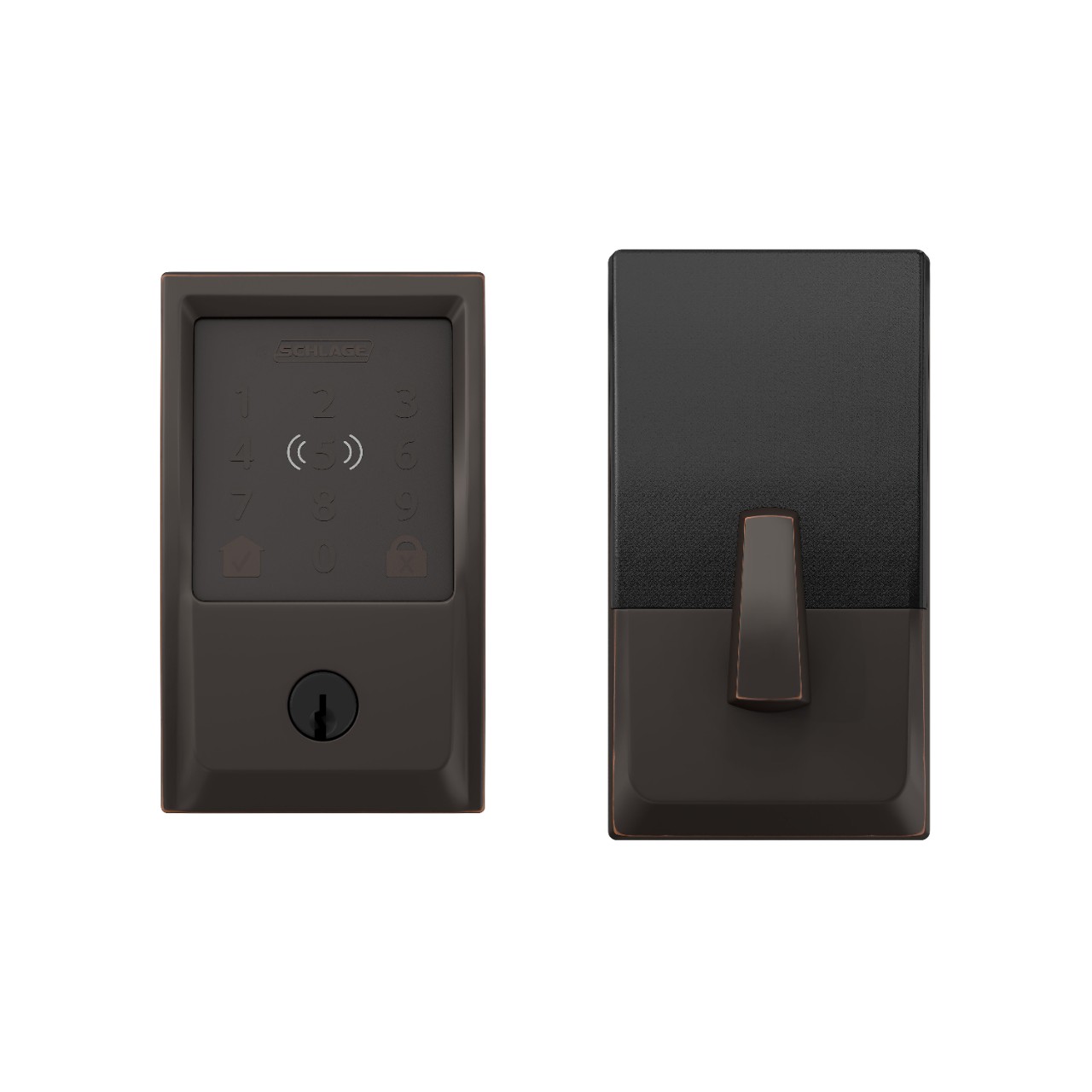
Price: $329 | Amazon: Buy Schlage Encode Plus
Professional installation standard: Built for commercial applications but perfect for high-security homes. Three-point locking system + built-in WiFi + backup keyhole.
Commercial-grade features:
- BHMA Grade 1 security rating (highest available)
- Built-in WiFi (no hub required)
- Encrypted wireless communication
- Physical key override always available
Security performance:
- Lock mechanism: Hardened steel anti-theft pins
- Drilling resistance: Case-hardened cylinder
- Pick resistance: High-security keyway design
- Forced entry resistance: 10 Grade 1 cycles (highest rating)
Smart connectivity:
- Built-in WiFi eliminates hub dependency
- Schlage Home app with activity monitoring
- Alexa and Google Assistant compatible
- IFTTT integration for advanced automation
Pros:
- Professional locksmith-grade security ratings
- Built-in WiFi means no additional hardware
- Physical key backup never compromised
- 100 user codes with individual schedules
- Three-year warranty including electronics
Cons:
- Professional installation strongly recommended ($100-200)
- Higher price point than consumer models
- App interface less polished than August/Yale
- Bulkier exterior profile than standard deadbolts
Smart Garage Door Controllers: Opening & Monitoring
1. Chamberlain MyQ Smart Garage Hub - Budget Winner

Price: $89 | Amazon: Buy Chamberlain MyQ Hub
Simple retrofit solution: Works with 95% of garage door openers manufactured after 1993. Two-piece system: door sensor + WiFi hub that connects to existing opener.
Installation simplicity:
- No wiring modifications required
- Adhesive door sensor (battery-powered)
- WiFi hub plugs into garage outlet
- Setup takes 20 minutes following app instructions
Core functionality:
- Remote open/close from anywhere with cellular coverage
- Door position status (open, closed, opening, closing)
- Activity history with timestamps
- Guest access with scheduled permissions
- Integration with Amazon Key for package delivery
18-month reliability testing:
- Response time: 3-5 seconds typical
- WiFi connectivity: 96% uptime
- Sensor battery life: 14 months (CR2032)
- False notifications: Less than 1 per month
Pros:
- Works with existing opener (no replacement needed)
- Scheduled access for family members and services
- Travel mode disables mobile access for security
- Email/push notifications when door operates
- Amazon Key package delivery integration
Cons:
- Subscription required for smart alerts ($1/month or $10/year)
- No camera integration included
- Basic app interface compared to premium options
- Cellular connectivity required for remote access
2. LiftMaster 8500W - Professional All-in-One

Price: $449 | Amazon: Buy LiftMaster 8500W
Complete opener replacement: Wall-mount jackshaft design with built-in WiFi, battery backup, and security+ 2.0 rolling code technology.
Professional installation features:
- Space-saving wall mount (no ceiling track)
- Battery backup runs 20+ cycles during power outages
- Soft start/stop operation (ultra-quiet)
- Timer-to-close automatic operation
Advanced security:
- Security+ 2.0 sends new code every operation (prevents code grabbing)
- Manual release disabled when door is closed (prevents fishing)
- Vacation lock disables all remotes temporarily
- Forced door detection alerts
Smart home integration:
- MyQ app with real-time status and control
- Works with Alexa, Google Assistant, Apple HomeKit
- IFTTT compatibility for advanced automation
- Integration with home security systems
Pros:
- Complete opener + smart controls in one system
- Professional-grade security features included
- Extremely quiet operation (measured under 55 decibels)
- Battery backup prevents lockout during power failures
- Lifetime warranty on motor and drive components
Cons:
- Requires professional installation ($150-300)
- Higher upfront cost than retrofit solutions
- Wall mounting may not work with all garage configurations
- MyQ subscription still required for advanced features
{% youtube _jHY-47luD8 %}
*Video review by 1D10CRACY (46K views)*
Complete Access Control Systems
1. Ring Alarm Pro with Access Control Add-ons
Price: $399 base + accessories | Amazon: Buy Ring Alarm Pro System
Unified platform approach: Single app controls security cameras, doorbell, smart locks, garage door, and alarm system with professional monitoring available.
Access control components:
- Ring Alarm Keypad (codes for family members)
- Ring Video Doorbell Pro 2 (visual verification)
- Ring Smart Lock (if compatible with your door)
- Ring Garage Door integration via MyQ
System advantages:
- All devices work together smoothly
- Single app controls everything
- Professional monitoring available ($20/month)
- Works during power outages (cellular backup)
Real-world performance:
- Device communication: Z-Wave mesh network
- Battery life: 6-18 months depending on device
- App responsiveness: Under 2 seconds typically
- False alarm rate: Under 3% with proper setup
Pros:
- Unified ecosystem reduces complexity
- Optional professional monitoring with police dispatch
- Works during internet outages (cellular backup)
- Scales from basic to complete systems
- Integration with existing Ring cameras/doorbells
Cons:
- Locked into Ring ecosystem (limited brand mixing)
- Monthly subscription required for full features
- Setup complexity increases with more devices
- Professional monitoring requires contract commitment
{% youtube QHd5IiIn4iQ %}
*Video review by Security.org (162K views)*
2. SimpliSafe + Smart Lock Integration
Price: $299 system + $200 smart lock | Amazon: Buy SimpliSafe System
Best hybrid approach: Professional security system with smart lock integration that doesn't require replacing your entire access control infrastructure.
Access integration features:
- Smart lock status in SimpliSafe app
- Automatic disarm when door unlocked with code
- Entry delay countdown on smart lock keypad
- Activity log includes lock/unlock events
Security monitoring:
- Professional monitoring: $27.99/month (police dispatch)
- Self-monitoring: Free (notifications only)
- Cellular backup included in all plans
- 24/7 monitoring center with average 5-second response
Pros:
- Works with most smart lock brands (August, Yale, Schlage)
- No long-term contracts required
- Professional monitoring without upfront equipment costs
- Easy DIY installation and setup
- Includes environmental monitoring (smoke, flood, freeze)
Cons:
- Monthly monitoring cost higher than some competitors
- Smart lock integration limited to basic functions
- Equipment must be purchased (not leased)
- Advanced automation requires third-party solutions
{% youtube ODvZpeb_s1A %}
*Video review by Make It or Break It (58K views)*
Keypad Entry Solutions: Secondary Access Points
1. Kwikset SmartCode 914 - Budget Keypad Option

Price: $129 | Amazon: Buy Kwikset SmartCode 914
Simple keypad deadbolt: Traditional lock with electronic keypad, no smartphone required. Works independently of WiFi, internet, or smart home systems.
Basic functionality:
- 30 user codes with master delete capability
- Automatic locking after 30 seconds (programmable)
- Low battery indicator (uses 4 AA batteries)
- Traditional key override always available
Installation and usage:
- Standard deadbolt replacement (2-1/8" prep)
- Programming via keypad (no app required)
- Battery life: 10-12 months typical usage
- Weather resistance: Basic (not suitable for extreme climates)
Pros:
- No dependency on internet or smartphone apps
- Lowest cost electronic keypad option
- Traditional key backup always works
- Simple programming without tech knowledge required
- No monthly fees or subscription costs
Cons:
- No remote access or monitoring capability
- Basic security features (no alarm, tamper detection)
- Limited weather resistance compared to smart locks
- Keypad buttons can wear and show usage patterns
- No integration with home automation systems
2. Ring Alarm Keypad Pro - Smart System Addition

Price: $149 | Amazon: Buy Ring Alarm Keypad Pro
Security system keypad: Dedicated access control for Ring Alarm systems with proximity sensor and backup power during outages.
Advanced keypad features:
- Motion-activated backlight (proximity sensor)
- Silent alarm capability (duress code)
- Countdown display during entry/exit delays
- Battery backup operates 24+ hours during power failure
Integration capabilities:
- Controls Ring Alarm system completely
- Links with Ring doorbells for visual verification
- Connects to Ring smart locks for automation
- Works with Alexa Guard for enhanced monitoring
Pros:
- Professional security system integration
- Motion-activated convenience features
- Silent alarm capability for emergency situations
- Battery backup ensures operation during outages
- Large, easy-to-read display with countdown timer
Cons:
- Only works with Ring Alarm ecosystem
- Requires Ring Alarm base station ($199 minimum)
- Monthly subscription needed for full features
- Limited standalone functionality without Ring system
- Professional installation recommended for optimal placement
Smart Access Control Integration & Automation
Home Assistant Integration for Power Users
Self-hosted platform: For advanced users who want complete control without cloud dependencies or monthly subscriptions.
Integration possibilities:
- Multiple smart lock brands in single interface
- Garage door + security cameras + motion sensors
- Custom automation rules (unlock when approaching, lock after sunset)
- Local processing (works without internet connection)
Advanced automation examples:
- "Arrival home" scene: garage opens when car detected, door unlocks when phone connects to WiFi, lights turn on
- "Leaving home" sequence: all doors lock, garage closes, security system arms after 30-second delay
- "Guest access" mode: temporary codes automatically expire, activity notifications sent to homeowner
Technical requirements:
- Home Assistant installation (Raspberry Pi or dedicated computer)
- Z-Wave/Zigbee USB stick for device communication
- Basic networking and YAML configuration knowledge
- Time investment for initial setup and maintenance
Professional Integration Systems
Control4 - Luxury Automation: $2,500+ installed price for complete access control integration with whole-home automation.
- Professional installation and ongoing support included
- Integration with lighting, HVAC, entertainment, security
- Proprietary ecosystem with dealer-only programming
- Extremely reliable but expensive and inflexible
Hubitat Elevation - DIY Smart Hub: $149 for hub + compatible devices
- Local processing without cloud dependencies
- Supports Z-Wave, Zigbee, and WiFi devices from multiple manufacturers
- Programming interface requires technical knowledge
- Active community support and custom app development
Buying Guide: Choosing Your Access Control Strategy
Assess Your Current Setup
Door hardware compatibility:
- Measure your door thickness (standard locks work with doors up to 2-1/4")
- Check existing deadbolt backset (distance from door edge to center of hole)
- Determine door material (wood, metal, fiberglass affects installation)
- Consider door swing direction and clearance for smart lock bodies
Security requirements:
- Do you need traditional key backup? (August Smart Lock Pro, Schlage Encode)
- Is physical security more important than convenience? (Yale Assure SL, professional installation)
- Do you want integration with existing security systems? (Ring, SimpliSafe compatibility)
- Is offline operation critical? (Choose locks with physical key or battery backup)
Technical comfort level:
- DIY installation capability (retrofit vs. full replacement)
- Smart home platform preference (iOS vs. Android, existing hub systems)
- Ongoing maintenance willingness (battery replacement, software updates)
- Troubleshooting skills (network configuration, device pairing issues)
Budget Planning: Total Cost of Ownership
Entry-level smart access ($200-400 total):
- Kwikset SmartCode 914 keypad lock ($129)
- Chamberlain MyQ garage hub ($89)
- DIY installation (save $100-200 on labor)
- No monthly subscription costs
Mid-range connected system ($500-800 total):
- August Smart Lock Pro ($279)
- LiftMaster MyQ-compatible opener ($250)
- Professional installation ($100-200)
- Optional monitoring ($120/year)
Premium integrated system ($1,000-2,000 total):
- Yale Assure SL + Schlage Encode deadbolts ($500)
- LiftMaster 8500W garage system ($449 + installation)
- Ring Alarm Pro or SimpliSafe system ($300-500)
- Professional monitoring ($240-360/year)
Security vs. Convenience Trade-offs
Maximum security approach:
- Physical keys always work (August, Schlage)
- Professional-grade lock mechanisms (BHMA Grade 1)
- No cloud dependencies (local processing)
- Battery backup for power outages
Maximum convenience approach:
- Smartphone-only access (no physical keys)
- Automatic unlocking based on location
- Integration with delivery services
- Voice control through smart speakers
Balanced recommendation:
Most homeowners should choose systems that maintain physical key access while adding smart features gradually. Start with one smart lock, add garage control, then integrate with security system as comfort and needs grow.
Installation and Maintenance Best Practices
DIY Installation Guidelines
Tools typically required:
- Drill with bits (if replacing deadbolt completely)
- Screwdriver set (Phillips and flathead)
- Tape measure for proper alignment
- Level for keypad orientation
- Wire strippers (if hardwiring garage components)
Common installation mistakes:
- Installing smart locks on doors that don't close properly
- Ignoring door alignment issues that cause binding
- Mounting garage sensors where they'll be damaged
- Not testing backup access methods before relying on smart features
Professional installation indicators:
- Door requires modification for proper fit
- Electrical work needed for garage integration
- Multiple access points need coordination
- Warranty requires professional installation
Ongoing Maintenance Schedule
Monthly checks:
- Test backup access methods (keys, 9V battery emergency power)
- Verify all user codes still work correctly
- Check mobile app connectivity and notifications
- Test automation rules (auto-lock timing, geofencing)
Every 6 months:
- Replace batteries before low-battery warnings
- Clean keypad surfaces and lubricate lock mechanisms
- Update device firmware through manufacturer apps
- Review access logs for unusual activity
Annual maintenance:
- Professional security system inspection
- Replace garage door opener batteries
- Update security codes and delete unused accounts
- Document system configuration for emergency reference
Troubleshooting Common Access Control Issues
Smart Lock Problems and Solutions
Problem: Lock operates slowly or jams
- Cause: Door misalignment or worn strike plate
- Solution: Adjust door hinges, replace strike plate, lubricate deadbolt mechanism
Problem: App shows device offline frequently
- Cause: WiFi signal strength or network congestion
- Solution: Install WiFi extender, change router channel, upgrade internet plan
Problem: Batteries drain quickly (under 6 months)
- Cause: Excessive WiFi reconnection attempts or extreme temperatures
- Solution: Move router closer, insulate lock from temperature extremes, disable unnecessary notifications
Garage Door Controller Issues
Problem: Intermittent operation or "device not responding"
- Cause: WiFi interference from garage door opener motor
- Solution: Install dedicated WiFi access point in garage, use 5GHz network, add ferrite chokes to power cables
Problem: Door status incorrect in app
- Cause: Sensor misalignment or battery issues
- Solution: Reposition door sensor, replace battery, recalibrate through app settings
Security Best Practices for Smart Access Control
Network Security Requirements
WiFi network setup:
- Use WPA3 encryption (WPA2 minimum)
- Create separate IoT network for smart devices
- Change default router passwords and admin accounts
- Enable automatic security updates for all devices
Account security:
- Use unique passwords for each smart lock app
- Enable two-factor authentication where available
- Regular audit of connected devices and user accounts
- Delete access for former residents, contractors, or services
Physical Security Considerations
Smart lock placement:
- Avoid installing keypad locks on glass doors
- Ensure adequate lighting for keypad visibility
- Consider security cameras covering entry points
- Install locks on solid doors with reinforced frames
Backup access planning:
- Always maintain physical key access for emergencies
- Store backup keys securely offsite (trusted family/friend)
- Document override procedures for power/network outages
- Test emergency access methods quarterly
Future-Proofing Your Access Control Investment
Technology Standards to Consider
Matter compatibility: The new smart home standard supported by Apple, Google, Amazon, and Samsung. Devices certified for Matter will work across ecosystems.
Current Matter-compatible access control:
- Yale Assure Lock 2 with Matter
- Schlage Encode Plus (Matter update planned)
- August Smart Lock Pro (Matter bridge available)
Recommended approach: Choose devices from manufacturers committed to Matter support, even if not currently certified. Most major brands are updating existing products.
Preparing for System Expansion
Hub-based vs. cloud-based systems:
- Hub systems (SmartThings, Hubitat) offer local control and multi-brand compatibility
- Cloud systems (Ring, SimpliSafe) provide easier setup but depend on manufacturer servers
- Hybrid approach allows flexibility as needs change
Scalability considerations:
- Choose systems that support adding cameras, sensors, and automation gradually
- Avoid proprietary protocols that limit future device choices
- Plan conduit and wiring for future hardwired device installations
- Document current system configuration for troubleshooting and expansion
Final Recommendations by Use Case
Best for Renters: August Smart Lock Pro + MyQ Garage Hub
Total cost: $368 | Installation: DIY retrofit, no permanent changes
- Keeps existing locks functional
- Removes completely when moving
- No drilling or permanent modification required
Best for New Homeowners: Yale Assure SL + Ring Alarm System
Total cost: $649 | Installation: Professional recommended
- Complete security integration
- Scales with additional cameras and sensors
- Professional monitoring available
Best for Security-Focused Users: Schlage Encode Plus + LiftMaster 8500W
Total cost: $778 + installation | Installation: Professional required
- Highest security ratings available
- Physical key backup always available
- Commercial-grade components
Best for Tech Enthusiasts: Complete Smart Home Integration
Total cost: $1,200+ | Installation: DIY with technical knowledge
- Home Assistant or Hubitat hub
- Multiple compatible smart locks
- Advanced automation and monitoring
- Future-proof with Matter compatibility
Transform your home's access control with systems that actually enhance security while delivering the convenience you want. Focus on reliability over flashy features, and always maintain backup access methods for peace of mind.
Ready to secure your smart home? Join our newsletter for exclusive smart home security guides, product reviews, and setup tutorials delivered monthly. Plus get our free "Smart Home Security Checklist" with 15 critical security measures every smart homeowner needs.